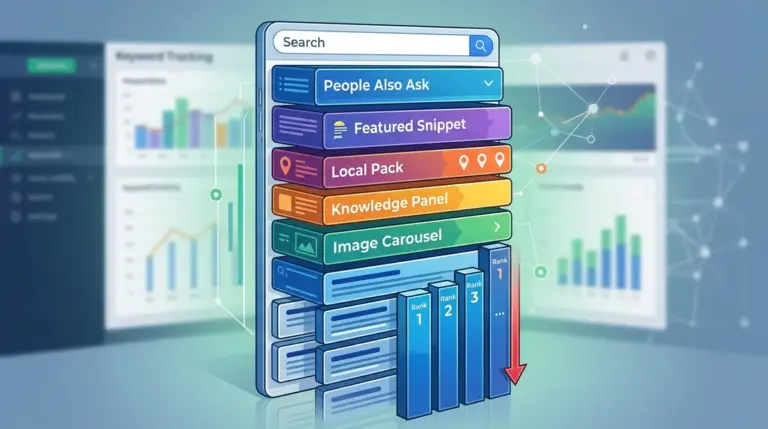
A sudden drop in keyword rankings is rarely a mystery; it is usually a data point reflecting a specific change in technical health, competitive landscape, or search engine logic. For an SEO professional, the initial thirty minutes after discovering a loss are the most critical. Panic leads to "shotgun optimization"—making dozens of uncoordinated changes that obscure the actual root cause. To recover, you must move from reactive stress to a systematic audit that isolates variables until the culprit is identified.
Isolate the Scope: Global Collapse vs. Page-Level Decay
Before adjusting a single line of code, determine the breadth of the loss. A site-wide drop of 20+ positions across all categories suggests a technical catastrophe or a manual action. A localized drop affecting only a specific cluster of keywords usually points to content decay, aggressive competitor moves, or a specific algorithm update targeting that niche.
Start by cross-referencing your rank tracking data with Google Search Console (GSC). If your tracking tool shows a drop but GSC impressions remain stable, you may be looking at a localized tracking anomaly or a temporary SERP test. If both datasets show a sharp decline in average position and click-through rate (CTR), the loss is confirmed. Check the "Manual Actions" tab in GSC immediately. While rare for legitimate brands, a manual penalty is the only issue that requires a formal reconsideration request rather than a technical fix.
Technical Triage: The "Silent Killers" of Rankings
Most sudden ranking losses are self-inflicted through technical deployments. Even a minor update to a CMS or a plugin can inadvertently trigger sitewide changes that de-index your most valuable assets.
- Robots.txt and Noindex Tags: Inspect your robots.txt file for accidental "Disallow" commands on key directories. Use a crawler to check for
<meta name="robots" content="noindex">tags that might have been pushed from a staging environment to production. - Canonical Mismatches: Ensure your primary pages aren't suddenly canonicalizing to secondary URLs or non-existent pages. A broken canonical tag tells Google to ignore the page you want to rank.
- HTTP Status Codes: Look for 404 (Not Found) or 5xx (Server Error) spikes in your GSC Indexing report. If your server is struggling with load, Google may temporarily de-rank pages to avoid sending users to a broken experience.
- Rendering Issues: Use the "URL Inspection" tool to see how Googlebot renders the page. If critical content is hidden behind JavaScript that fails to load, Google sees a thin or empty page.
Warning: Avoid the urge to revert every recent site change simultaneously. If you change your URL structure, internal linking, and H1 tags all at once, you will never know which factor caused the initial drop—or which fix actually worked. Revert one high-probability technical error at a time and monitor for 48 hours.
Evaluating Algorithmic Shifts and Intent Changes
If the site is technically sound, the loss is likely algorithmic. Google frequently updates its understanding of "user intent." A page that ranked #1 for a commercial term might drop to #15 if Google decides that users now prefer informational guides or video content for that specific query.
Analyze the current Top 3 results for your lost keywords. Are they different types of pages than yours? If the SERP was once dominated by product pages but is now filled with "Top 10" lists, your page hasn't "failed"—it no longer matches the intent Google wants to serve. Recovery in this scenario requires a content pivot, not a technical fix. You must restructure the page to provide the specific format and information density the current winners are providing.
Competitor Displacement and Content Decay
Sometimes, you didn't do anything wrong; a competitor simply did something better. Large-scale content refreshes or aggressive backlink campaigns from a rival can push you down the SERP. Use a "Time Travel" view in your SEO tools to compare your page's current state against the competitor's page that took your spot. Look for differences in word count, media richness, and "Helpful Content" signals like first-hand experience and expert citations.
Backlink Profile and Authority Erosion
A sudden loss can also stem from the "Link Ghost" effect. If a high-authority site that was previously linking to you goes offline, changes its outbound link policy to rel="nofollow", or deletes the page entirely, your page loses the equity that was sustaining its rank. Use a backlink monitor to identify "Lost Backlinks" over the last 30 days. If the loss is significant, you may need to launch a targeted link-building campaign to replace that lost authority. Do not waste time with "disavow" files unless you have received a specific warning about unnatural links; Google’s current systems are generally proficient at ignoring spam without penalizing the target site.
Developing a Recovery Roadmap
Once the cause is identified, prioritize fixes based on effort versus impact. Technical errors should be resolved within hours. Content intent mismatches require a more deliberate approach, often involving a full rewrite of the affected sections. Monitor the "Last Crawled" date in GSC for your affected URLs. If you have made significant changes, use the "Request Indexing" feature to force Googlebot to re-evaluate the page. Recovery is rarely instant; for technical fixes, expect a 1–2 week lag, while algorithmic recovery can take several months or until the next core update refresh.
Frequently Asked Questions
How long should I wait before taking action after a ranking drop?
Wait 24 to 48 hours to ensure you aren't seeing "SERP flux" or a temporary data lag. If the drop persists into day three, begin your technical audit immediately. Data volatility is common during the first few days of a Google Core Update. This is a crucial time for separating real ranking loss from normal volatility, especially during major algorithm updates.
Can a slow site speed cause a sudden drop in rankings?
While Core Web Vitals are a ranking factor, they rarely cause a "sudden" collapse from page one to page ten. Speed-related declines are usually gradual. A sudden drop related to performance is more likely a server timeout issue where the page fails to load entirely for Googlebot.
Is it possible to recover rankings without changing the content?
Yes, if the cause was technical (e.g., a broken canonical or accidental noindex). However, if the drop was due to an algorithmic update focused on quality or intent, you will almost certainly need to update the content to meet Google's new benchmarks for that specific query.
Should I delete pages that have lost significant rankings?
No. Deleting pages (404ing them) removes any remaining authority they hold. Instead, evaluate if the page can be consolidated with another high-performing page via a 301 redirect, or if it simply needs a refresh to become competitive again.