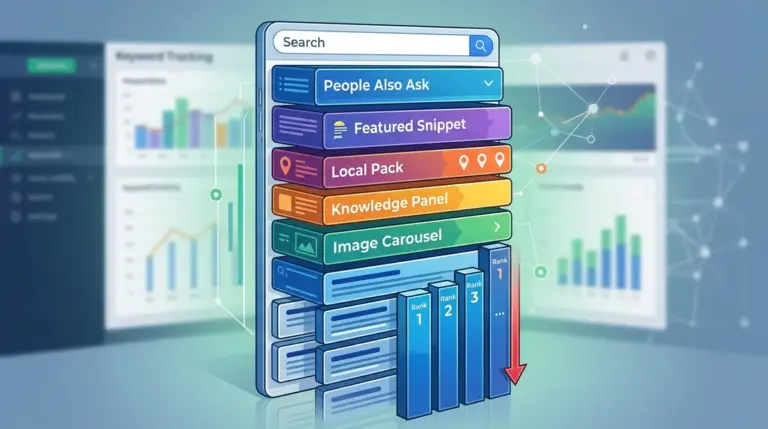
A sudden drop in keyword rankings is rarely a random event. In most commercial environments, a significant loss in visibility signals a specific failure in technical health, content relevance, or competitive positioning. Recovering from these dips requires moving past surface-level metrics and conducting a forensic analysis of why Google’s perception of your URL has shifted. The goal is not just to "fix" the site, but to restore the specific signals that originally earned the ranking.
Quantifying the Damage and Identifying the Pattern
Before implementing any changes, you must determine if the drop is site-wide or localized. A site-wide drop typically indicates a technical infrastructure failure or a broad algorithmic penalty. A localized drop—affecting a specific page or a cluster of related keywords—usually points to content decay or aggressive competitor movement.
Differentiating Between Volatility and a Penalty
Ranking volatility is normal during core update rollouts. If your rankings fluctuate by 3-5 positions and stabilize within a week, this is often "SERP shuffling" as Google tests new results. However, a drop of 20+ positions that persists for more than 72 hours suggests a deeper issue. Open Google Search Console (GSC) and compare the last 7 days of data against the previous 7 days. Look specifically at the "Average Position" and "Total Impressions." If impressions remain steady but clicks and positions fall, your snippet may no longer be satisfying the user's intent, or a new SERP feature (like a featured snippet or AI Overview) is cannibalizing your traffic.
Auditing Technical Infrastructure for Silent Failures
Technical SEO issues are the most common cause of "overnight" ranking disappearances. These are often invisible to the casual observer but catastrophic for crawlability. Start by checking your robots.txt file to ensure no critical directories were accidentally blocked during a recent site update. Next, use a crawler to identify 404 errors or 5xx server errors on your high-value pages.
- Canonical Tags: Ensure your primary pages aren't pointing to a staging environment or an old URL version.
- Noindex Tags: Check if a "noindex" meta tag was mistakenly deployed during a code push.
- Core Web Vitals: A sharp decline in "Largest Contentful Paint" (LCP) or "Cumulative Layout Shift" (CLS) can trigger a ranking demotion, particularly on mobile-first indexing.
- Redirect Loops: Verify that recent migrations haven't created a chain of more than two redirects, which can exhaust crawl budget and dilute link equity.
Warning: Never disavow links en masse without proof of a manual action or a clear pattern of algorithmic suppression linked to toxic domains. Over-cleaning your backlink profile often results in a secondary drop in authority that is harder to reverse than the original issue.
Evaluating Search Intent and SERP Feature Changes
Search intent is not static. Google frequently re-evaluates what a user wants when they type a specific query. If you previously ranked #1 for a "how-to" guide but the SERP now prioritizes product category pages, your informational content will naturally drop. This is an intent mismatch.
Analyze the current top three results for your target keyword. Are they long-form articles, video carousels, or e-commerce listings? If the SERP landscape has shifted toward visual content or direct answers, you must adapt your page structure to match. For example, if competitors are now using structured data (Schema) to win "Pros and Cons" snippets, and you are not, you are at a structural disadvantage regardless of your content quality.
Competitive Gap Analysis: Who Displaced You?
If your technical health is perfect and intent hasn't shifted, you have likely been out-optimized. Identify the domains that moved into your previous slots. Use a comparative analysis to find the "Content Gap."
Best for identifying competitive advantages: Look at the "Time to Value." If a competitor’s page answers the user's query in the first 200 words while your page hides the answer behind a 1,000-word introduction, Google will favor the faster solution. Check their backlink velocity as well. If a competitor recently earned several high-authority editorial mentions while your link profile remained stagnant, their "authority score" for that specific topic may have surpassed yours.
Content Refresh and Decay Mitigation
Content decay is the slow erosion of rankings as information becomes outdated. If a page hasn't been updated in 12–18 months, its "freshness" signal weakens. To recover, you must do more than change the date in the metadata. You need to provide "Information Gain"—adding new data, unique insights, or updated statistics that do not exist in the current top-ranking results.
Focus on improving the internal link architecture. Often, a ranking drop occurs because a page has become "orphaned" or is too many clicks away from the homepage. Strengthening internal anchors from high-authority pages on your site can pass the necessary equity to stabilize a falling URL.
Executing the Recovery Roadmap
Recovery is a phased process. First, resolve all 4xx and 5xx errors and ensure the XML sitemap is updated and resubmitted in GSC. Second, address the content gap by matching the current SERP intent and adding unique value that competitors lack. Third, monitor the "Crawl Stats" report in GSC to ensure Googlebot is visiting the affected pages frequently. If the crawl rate is low, use internal linking and social signals to force a re-index. Most technical recoveries take 2–4 weeks to reflect in the SERPs, while content-based recoveries can take up to three months as Google re-evaluates the competitive landscape.
Frequently Asked Questions
How long does it take to recover from a Google core update?
Recovery typically doesn't happen until the next core update or a significant "refresh" of the current one. This can take anywhere from three to six months. During this time, you must focus on improving overall site quality and E-E-A-T (Experience, Expertise, Authoritativeness, and Trustworthiness) signals.
Can a drop in rankings be caused by a slow server?
Yes. If your Time to First Byte (TTFB) increases significantly, Googlebot may reduce its crawl rate to avoid crashing your server. This leads to delayed indexing of new content and a gradual slide in rankings for existing pages as they are perceived as less reliable.
Should I delete pages that have lost their rankings?
Only if the content is thin, redundant, or provides zero value to the user. If the page once had high rankings, it has potential. Instead of deleting, consider "pruning" by merging the weak content into a stronger, related page (301 redirecting the old URL) to consolidate link equity.
How do I know if I have a manual penalty?
Check the "Manual Actions" report in Google Search Console. If it says "No issues detected," your drop is algorithmic. If there is a manual action listed, you must follow Google’s specific instructions to fix the violation and submit a reconsideration request.