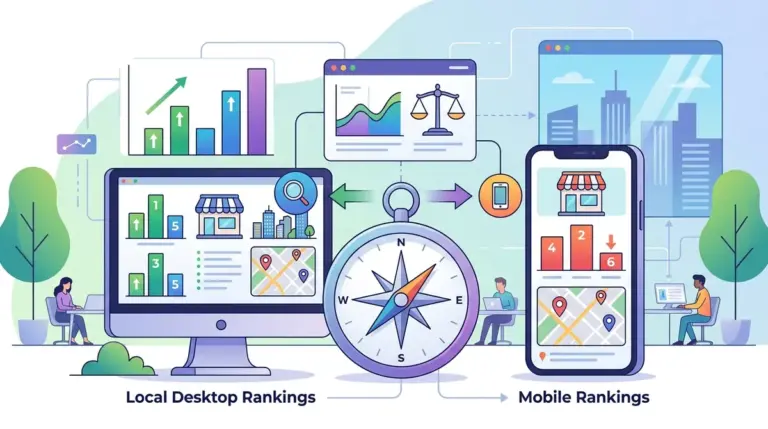
Local SEO is a game of inches. A business ranking in the top spot for a high-intent keyword in one neighborhood might vanish from the results three blocks away. This volatility exists because Google’s local algorithm prioritizes proximity, relevance, and prominence with hyper-local precision. For agencies and multi-location brands, tracking "city-level" rankings is no longer a viable strategy; it provides a smoothed-over average that hides the specific areas where competitors are siphoning off leads. To capture market share, you must track competitors based on specific geographic coordinates and zip codes.
Defining the Hyper-Local Search Grid
Google’s "Local Pack" or "Map Pack" results are determined primarily by the user’s physical location at the moment of search. If you are tracking rankings from a static server location, you are seeing a distorted version of reality. To get an accurate picture of the competitive landscape, you need to implement grid-based tracking or coordinate-specific monitoring.
Best for: Service-area businesses (SABs) like plumbers or electricians who don't have a storefront but need to dominate specific residential zones.
Instead of checking "Lawyers in Chicago," sophisticated SEOs track "Lawyers" from specific latitude and longitude points within the Loop, Lincoln Park, and Hyde Park. This reveals "ranking gaps"—areas where your Google Business Profile (GBP) visibility drops off, allowing a local competitor to take the lead. By identifying these specific zones, you can adjust your local link-building efforts or localized landing page content to better serve those specific micro-markets.
Segmenting Competitors by Intent and Authority
When tracking local competitors, it is a mistake to treat every site on the SERP the same way. You are essentially fighting a two-front war: one against local businesses and another against national aggregators. Your tracking setup should segment these competitors into three distinct categories:
- Direct Local Competitors: These are businesses offering the same services in the same physical radius. Tracking their GBP updates and review velocity is critical.
- Aggregators and Directories: Sites like Yelp, Angi, or TripAdvisor often dominate the traditional organic results below the Map Pack. You aren't trying to outrank them for every term; you are trying to ensure your business is listed and optimized within their platforms.
- National Brands with Local Landing Pages: Large franchises use high domain authority to rank local pages. You beat them by having superior local relevance and more specific local backlinks.
By tagging these competitors in your rank tracking dashboard, you can filter your reports to see if you are losing ground to other "mom-and-pop" shops or if a national player has recently optimized their local subfolders for your area.
Tracking the Local Pack vs. Traditional Organic Results
Local search results are split into two different datasets: the Map Pack (driven by the Google Business Profile) and the localized organic blue links (driven by the website's SEO). A competitor might dominate the Map Pack due to proximity but have no presence in the organic results because their website lacks technical authority.
To track this effectively, your monitoring must distinguish between these two placements. If a competitor suddenly jumps into the Map Pack, check their review acquisition rate and their "NAP" (Name, Address, Phone) consistency across the web. If they jump in organic rankings, look at their local content strategy, such as neighborhood-specific guides or local news updates. Tracking both allows you to see which "lever" the competitor is pulling to gain visibility.
Pro Tip: Do not rely on manual searches via a VPN to check local rankings. Google uses more than just IP addresses to determine location, including Wi-Fi signals and GPS data history. Professional tracking tools bypass these filters by using localized API requests that mimic precise geo-coordinates, providing the only data you can actually trust for client reporting.
Analyzing Competitor Review Velocity and Sentiment
In local search, reviews are a primary ranking factor. It is not just the total number of reviews that matters, but the "velocity"—how fast a competitor is gaining new reviews—and the keywords included in those reviews. If a competitor in a specific zip code starts ranking higher for "emergency water damage repair," look at their recent reviews. You will likely find customers using that exact phrase.
Best for: Identifying why a competitor’s "Prominence" score has increased in the eyes of Google’s algorithm.
Monitor how often competitors respond to reviews. Google has suggested that active engagement with reviews signals a managed and trustworthy business. If a competitor is neglecting their review responses, that is a weakness you can exploit by being more proactive with your own GBP management.
Monitoring Localized Content and Landing Pages
Competitors who successfully rank across multiple areas often use "City Pages" or "Neighborhood Pages." Tracking these specific URLs is essential. If a competitor’s "West End" landing page starts outranking your homepage for local queries, analyze the page's structure. Are they embedding a Google Map? Are they listing local landmarks? Are they using Schema Markup (LocalBusiness or PostalAddress)?
Tracking the specific URLs that rank for local queries tells you what type of content Google prefers for that area. If the top results are all long-form guides about local regulations, a short "Contact Us" page will never rank, regardless of how many backlinks it has.
Converting Local Data into Market Share
The goal of tracking local competitors by area is not just to watch them, but to outmaneuver them. Use the data gathered from coordinate-based tracking to inform your Google Ads spend. If you see you are ranking #1 organically in Zip Code A, but #8 in Zip Code B, you should increase your PPC bid modifiers for Zip Code B to maintain visibility while you work on your organic SEO.
Furthermore, use competitor gaps to inform your Google Business Profile "Posts." If a competitor is ranking well for a specific service in a neighborhood but has no recent posts about it, you can create a localized post with an offer specific to that neighborhood. This increases your relevance for those hyper-local searches and can help "push" your Map Pack radius further into their territory.
Local Tracking FAQ
How often should I refresh local ranking data?
For most businesses, weekly tracking is sufficient. However, in highly competitive niches like personal injury law or locksmiths, daily tracking is necessary to spot "ghosting" or sudden algorithmic shifts caused by competitor spam reporting.
Does the "Centroid" still matter for local rankings?
The "Centroid" (the traditional center of a city) matters less than it used to. Google now prioritizes the user’s location and the business’s actual service area. Tracking by area helps you see how far your "authority" extends from your physical office location.
Can I track competitors who don't have a physical address?
Yes. Service Area Businesses (SABs) can be tracked by their service radius. You can monitor which competitors are appearing in the Map Pack for specific zip codes even if their physical addresses are hidden in their Google Business Profile settings.
Why do my rankings change when I move my phone a few blocks?
This is due to the "Proximity" factor. Google wants to provide the most convenient result. If a competitor is physically closer to the user at that moment, they gain a massive ranking advantage, which is why hyper-local tracking is the only way to see the full competitive picture.