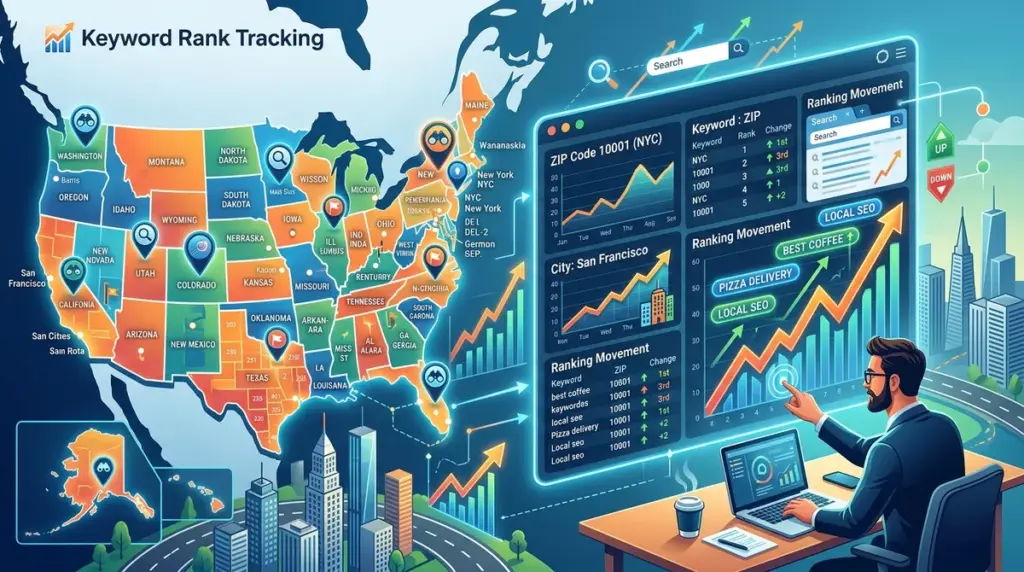
National keyword tracking is a blunt instrument for businesses that live or die by local foot traffic. If you are managing SEO for a multi-location franchise, a dental practice, or a regional service provider, a "national" rank of #3 is a vanity metric that masks local failure. Google’s search results are now so heavily influenced by the user's precise location—down to the street corner—that tracking at the country or even state level provides zero actionable data for local conversion optimization.
Hyper-local tracking requires a shift from broad data sets to granular, coordinate-based monitoring. To win in the Local Pack and the localized organic results, you must replicate the exact search experience of a user standing in a specific ZIP code or city center. This guide breaks down the technical requirements for configuring city and ZIP-level tracking to ensure your reporting matches the reality of your customers' screens.
The Mechanics of Hyper-Local SERP Variance
Google determines search results using a combination of IP addresses, GPS data, and Wi-Fi triangulation. For "near me" queries or service-based keywords like "emergency plumber" or "hvac repair," the proximity of the business to the searcher is often the primary ranking factor. This creates a "neighborhood effect" where a business may rank #1 in ZIP code 90210 but drop to #15 in 90211.
Standard rank trackers often default to a data center's IP, which yields a generic version of the SERP. To get accurate data, your tracking configuration must override these defaults by specifying the uule parameter or using localized proxy servers that mimic the target geography. Without this specificity, your data will suffer from "averaging," where the nuances of the local map pack are smoothed over, leading to poor strategic decisions regarding Google Business Profile (GBP) optimization.
How to Configure ZIP Code and City-Level Tracking
Setting up granular tracking is not a "set it and forget it" task. It requires mapping your physical locations to the specific search zones that drive the most revenue. Follow these steps to ensure your data reflects local reality:
1. Define Your Search Perimeter
Do not track every ZIP code in a 50-mile radius; it is a waste of resources and creates data noise. Instead, identify the "service area" or the "catchment area" for each physical location. For a retail store, this might be a 5-mile radius. For a specialized law firm, it might be the entire city. Use your existing Google Business Profile insights to see where your current customers are coming from and prioritize those ZIP codes for tracking.
2. Set the Location Parameter Precisely
When adding keywords to your tracking environment, you must explicitly define the location. Most high-end tracking platforms allow you to input a city name or a 5-digit ZIP code. Best for: Service-area businesses (SABs) that do not have a physical storefront but serve specific neighborhoods. By inputting the ZIP code, the tracker forces the search engine to render the results as if the query originated from the center of that postal code.
3. Account for the Local Pack vs. Organic Results
Tracking by city and ZIP code is as much about the Map Pack as it is about the "blue links." Your tracking must distinguish between these two. A city-level search might show your website at #2 in organic results, but your GBP might not appear in the top 3 Map Pack results for the same query in a specific ZIP code. Effective tracking monitors both, allowing you to see if a drop in traffic is due to organic ranking shifts or a loss of visibility in the local map interface.
Pro Tip: When tracking "near me" keywords, always use ZIP code-level granularity rather than city-level. Google’s proximity filter is extremely aggressive for these queries; a city-level average will almost always overestimate your actual visibility to a mobile user on the move.
Why City-Level Data Often Fails Multi-Location Brands
For large brands with hundreds of locations, city-level tracking is often too broad. In a city like Chicago or London, a single "city" designation covers dozens of distinct neighborhoods with different competitive landscapes. If you only track at the city level, you might see a stable ranking, while your individual locations are actually losing ground to hyper-local competitors in high-value neighborhoods.
Common pitfalls of broad tracking include:
- The "Center Point" Bias: City-level tracking often defaults to the geographic center of the city. If your business is located on the outskirts, your "city" rank will be lower than what your actual neighbors see.
- Ignoring Local Competitors: Small, neighborhood-specific businesses often outrank national brands in the Map Pack. ZIP code tracking identifies these "micro-competitors" before they eat into your market share.
- Inaccurate Reporting: Reporting a "City Rank" to a franchise owner whose specific shop is invisible in their neighborhood leads to a loss of trust in the SEO program.
Analyzing Local Data for Better Conversion
The goal of tracking by ZIP code isn't just to see a number; it’s to inform your local content and backlink strategy. If you find that rankings are high in the ZIP code where your office is located but drop off sharply two miles away, you have a "proximity gap."
To fix this, you can use the data to justify creating location-specific landing pages or localized "areas served" content. Furthermore, if you see high organic rankings but low Map Pack visibility in a specific ZIP code, it’s a clear signal to increase your local citation consistency or encourage more reviews from customers in that specific area. This level of insight is impossible with national or even state-level tracking.
Implementing a Localized Tracking Strategy
To move from broad tracking to a hyper-local strategy, start by auditing your top-performing 20% of keywords. Re-configure these keywords to track at the ZIP code level for your top five revenue-generating locations. Monitor the variance between the old city-level data and the new ZIP-level data for 30 days. You will likely find significant "blind spots" where your visibility was lower than reported. Once you have demonstrated the value of this granular data, scale the approach to all high-priority locations, focusing on the intersection of high search volume and proximity to your physical or service-area presence.
Frequently Asked Questions
Does tracking by ZIP code use more "credits" than city tracking?
In most professional tracking environments, a keyword is a keyword regardless of the location settings. However, tracking the same keyword across ten different ZIP codes will count as ten separate keyword tracks. It is essential to be strategic about which ZIP codes you monitor to manage your data costs effectively.
How often should I refresh local ranking data?
For local SEO, daily tracking is often unnecessary unless you are in a highly volatile niche like locksmiths or emergency services. Weekly tracking is usually sufficient to catch trends in the Map Pack and organic results while keeping your reporting clean and manageable.
Can I track rankings in a language other than English for a specific ZIP code?
Yes. When configuring your localized tracking, you should match the language setting to the predominant language of the searchers in that ZIP code. This is particularly important for multi-cultural urban areas where search behavior may shift between languages for the same service.
Why does my manual search look different from the ZIP code tracker?
Your manual search is influenced by your personal search history, your logged-in Google account, and your precise device GPS. A professional rank tracker uses a "clean" browser environment and a fixed location parameter (like the uule string) to provide an objective, non-personalized view of the SERP.