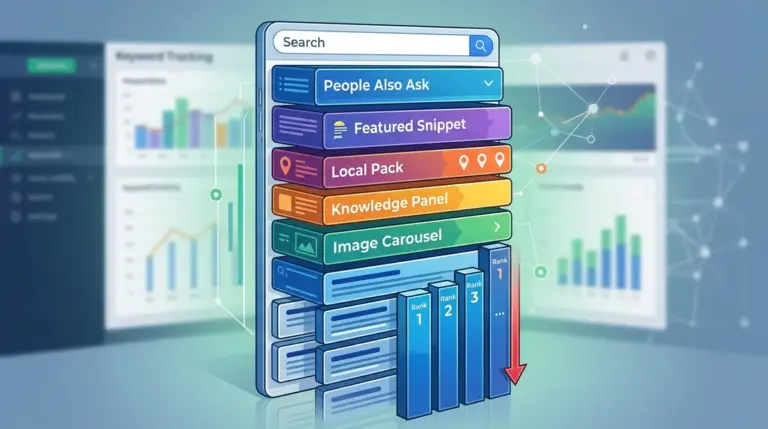
A sudden decline in keyword positions following a site migration, redesign, or structural update is rarely a coincidence. For SEO professionals and site owners, this volatility represents a gap between the intended improvement and how search engine algorithms interpret the new signals. When you move the furniture, Google needs to relearn the layout of the house. If the new layout obscures previously clear pathways or removes essential context, rankings will slide.
Understanding the root cause requires moving past the panic of a downward-trending line in your tracking dashboard. You must isolate whether the drop is a temporary re-indexing lag, a technical failure in the redirect strategy, or a loss of semantic relevance caused by aggressive content editing. This guide breaks down the specific technical and editorial triggers that cause post-change ranking drops and how to diagnose them with surgical precision.
The Impact of Redirect Chains and Mapping Failures
The most common culprit for a ranking drop after a site change is the mishandling of URL structures. When a URL changes, the "link equity" or authority it has built over years must be transferred to the new destination via a 301 redirect. If this process is flawed, the authority is diluted or lost entirely.
Common technical failures include:
- Redirect Chains: Redirecting URL A to URL B, which then redirects to URL C. Each "hop" in a chain can result in a minor loss of authority and increases latency, which can negatively impact crawl efficiency.
- Soft 404s: Redirecting a specific product or blog post to the homepage rather than a relevant category or replacement page. Google views these as 404 errors because the content is no longer relevant to the original query, leading to a total loss of rankings for that term.
- Broken Internal Links: While 301s handle external traffic, failing to update internal links to the new destination forces the crawler to follow redirects constantly, wasting crawl budget and slowing down the re-discovery of your updated site.
Warning: Never delete a high-traffic page without a direct 1:1 replacement. If you merge three pages into one, ensure the new "super-page" contains all the primary and secondary keywords from the original three, or you will lose the long-tail traffic those individual pages once captured.
Semantic Thinning and Content Over-Optimization
Redesigns often come with a "cleaner" look, which frequently leads to the removal of text-heavy sections in favor of minimalist design. From an SEO perspective, this is often a disaster. This "semantic thinning" removes the context Google uses to understand the intent of a page.
If you replaced 800 words of detailed, helpful content with 200 words of punchy marketing copy and a large hero image, you have likely removed the long-tail keywords and LSI (Latent Semantic Indexing) terms that helped you rank. The page may look better to a human, but to a bot, it now appears less authoritative or less relevant to complex queries. Furthermore, changing H1 tags to prioritize "brand voice" over "search intent" can immediately disconnect your page from the primary keywords it previously targeted.
Loss of Internal Link Equity and Site Architecture
Keyword rankings are heavily influenced by how authority flows through your site. During a site change, the navigation menu, footer, and sidebar are often overhauled. If you move a page from the main navigation (where it received a link from every page on the site) to a sub-menu three levels deep, its internal "importance" score drops significantly.
Best for diagnosing architecture shifts: Compare the "Internal Link Count" of your top-performing pages before and after the change. If a primary landing page saw its internal link count drop from 500 to 50, a ranking decline is almost guaranteed. The algorithm interprets this as a signal that the page is no longer a priority for your business.
Crawl Budget Bottlenecks and Re-indexing Lag
Even if you do everything right, a temporary drop is common due to the "Google Dance." When a site undergoes significant changes, Googlebot must re-crawl and re-evaluate every modified page. For large sites with tens of thousands of URLs, this process can take weeks.
During this period, Google may serve a cached version of the old page or a partially processed version of the new one. This inconsistency leads to fluctuating rankings. If your technical SEO is sound—meaning your sitemap is updated, your robots.txt is clear, and your 301s are in place—this is usually a waiting game. However, if the drop persists beyond 21 days, it suggests a deeper issue with how the new content is being perceived or a technical block preventing full indexation.
Performance Regressions and Core Web Vitals
A site change often introduces new scripts, larger images, or heavy third-party tracking pixels. If your "new and improved" site is significantly slower than the old version, your rankings may suffer, particularly on mobile. Google’s Core Web Vitals (LCP, FID, and CLS) are tie-breaking ranking factors. If you move from a lightweight theme to a heavy, JavaScript-dependent framework, the resulting "Cumulative Layout Shift" or "Largest Contentful Paint" delays can trigger a demotion in the SERPs, especially for competitive terms where UX is a differentiator.
Executing a Recovery Roadmap
To stop the bleed and regain your positions, you must move from observation to intervention. Start by auditing your 404 errors in Search Console to identify any missed redirects. Next, perform a content gap analysis between your old cached pages and your new live pages to see what keywords were accidentally deleted. Finally, verify that your schema markup—such as Product, Article, or FAQ schema—was correctly migrated, as the loss of rich snippets can lead to a lower Click-Through Rate (CTR), which eventually pulls down your rankings.
Immediate Action Items:
- Update your XML sitemap and resubmit it to Google Search Console to force a re-crawl of the new URL structure.
- Check your mobile-friendliness; many redesigns look great on desktop but break on smaller viewports, leading to mobile ranking drops.
- Monitor your "Crawl Stats" report to ensure Googlebot isn't getting stuck in redirect loops or blocked by new firewall settings.
Frequently Asked Questions
How long should I wait before worrying about a ranking drop?
Standard volatility usually lasts 7 to 14 days. If your rankings have not begun to stabilize or trend upward after three weeks, you likely have an underlying technical issue or a significant loss of content relevance that needs manual intervention.
Can a change in hosting cause rankings to drop?
Yes, if the new host has significant downtime, slower Time to First Byte (TTFB), or is located in a geographic region far from your primary audience. Server-side latency is a direct signal that can impact how efficiently Google crawls your site.
Will my rankings return to exactly where they were?
Not necessarily. A site change is a re-evaluation period. If the new site is faster, more relevant, and better structured, you may end up higher. If you have stripped away SEO elements for the sake of aesthetics, you may establish a "new normal" at a lower position until those elements are restored.
Does changing my H1 tags affect rankings even if the URL stays the same?
Significantly. The H1 tag is one of the strongest on-page signals for what a page is about. Changing a keyword-rich H1 to something vague or "branded" can cause a rapid drop in relevance for your primary search terms.